Login
Login


The best custom buttons for trade shows are usually 2.25-inch gloss buttons with bold artwork, short messaging, and high-contrast branding because they balance visibility, wearability, affordability, and fast attendee recognition. The right trade show button strategy depends on booth traffic volume, viewing distance, event type, attendee demographics, and whether the buttons are meant for branding, networking, staff identification, or lead generation.
Why Trade Shows Still Use Custom Buttons
Trade show giveaways must accomplish at least one of these goals:
- Increase booth traffic
- Improve brand recall
- Start conversations
- Encourage social sharing
- Help attendees identify staff
- Create wearable advertising
Custom buttons work because they are:
- Lightweight
- Affordable at scale
- Easy to distribute
- Visually noticeable
- Wearable immediately
Unlike flyers or brochures, attendees often keep buttons attached to:
- Tote bags
- Shirts
- Jackets
- Lanyards
- Backpacks
That creates mobile branding throughout the event floor.
Best Button Sizes for Trade Shows
|
Button Size |
Best For |
Visibility |
Wearability |
Watch-Outs |
|
1 inch |
Small logo branding |
Low |
Excellent |
Hard to read |
|
1.25 inch |
Minimal giveaways |
Moderate |
Excellent |
Limited artwork space |
|
2.25 inch |
Standard trade show use |
Excellent |
Strong |
Slightly heavier |
|
3 inch |
High-visibility promotions |
Excellent |
Moderate |
Can feel bulky |
|
3.5 inch |
Photo ops & booth contests |
Maximum |
Lower |
Less practical for all-day wear |
Why 2.25-Inch Buttons Usually Win
2.25-inch buttons balance:
- Readability
- Cost efficiency
- Comfort
- Print area
- Booth visibility
They work well for:
- Logos
- QR codes
- Slogans
- Mascots
- Social media handles
- Booth numbers
For most exhibitors, this is the safest size choice.
Explore available sizes here:
Best Button Finish for Trade Shows
Gloss Buttons
Best for:
- Busy convention halls
- Bright graphics
- Fast attention
- Youth-oriented brands
- Bold promotional campaigns
Advantages:
- Strong reflections
- Bright colors
- Better long-distance visibility
Matte Buttons
Best for:
- Corporate networking events
- Executive conferences
- Luxury branding
- Minimalist designs
- Press events
Advantages:
- Reduced glare
- Cleaner photography
- Softer premium appearance
Most trade show exhibitors still prefer gloss because trade shows are visually competitive environments.
Related comparison:
Good / Better / Best Trade Show Button Setups
|
Tier |
Recommended Setup |
Best For |
|
Good |
1.25" gloss logo buttons |
Budget giveaways |
|
Better |
2.25" full-color gloss buttons |
Standard booth promotions |
|
Best |
Mixed-size campaign with gloss + matte variants |
Large expos & activation booths |
What Makes a Trade Show Button Effective?
1. Readability From 4–8 Feet Away
Trade show attendees move quickly.
Buttons should use:
- Large fonts
- Minimal wording
- Strong contrast
- Simple graphics
Avoid:
- Tiny text
- Paragraph slogans
- Overly detailed logos
- Thin fonts
2. High Contrast Artwork
Best-performing trade show button colors:
- Black + white
- Red + white
- Blue + yellow
- Navy + silver
- White + dark green
Low contrast reduces booth visibility.
3. One Message Only
Effective trade show buttons focus on:
- One slogan
- One logo
- One CTA
- One hashtag
- One booth number
Trying to include too much information weakens visibility.
Staff Buttons vs Giveaway Buttons
Staff Buttons
Best practices:
- Matte finish
- Consistent sizing
- Role labeling
- Strong readability
Examples:
- “Ask Me Anything”
- “Product Expert”
- “Booth Team”
- “Speaker”
Staff buttons pair well with:
Giveaway Buttons
Best practices:
- Gloss finish
- Bold graphics
- Fun slogans
- Eye-catching colors
Giveaway buttons should encourage attendees to:
- Wear them immediately
- Share photos
- Ask questions
- Visit the booth
How Many Trade Show Buttons Should You Order?
Small Events (100–300 attendees)
Recommended quantity:
- 150–400 buttons
Medium Events (500–2,000 attendees)
Recommended quantity:
- 500–1,500 buttons
Large Conventions (5,000+ attendees)
Recommended quantity:
- 2,000–10,000+ buttons
Recommended Buffer
Add:
- 10–20% extra inventory
- More if giveaways are free-access
- More if designs are collectible
Multi-Design Button Strategies
Large booths often outperform with multiple button designs.
Examples:
- Limited-edition sets
- Staff-exclusive variants
- Character collections
- Daily release designs
- QR-code scavenger hunts
Benefits:
- Encourages repeat visits
- Improves attendee interaction
- Creates social media sharing
- Increases booth dwell time
Best Companion Products for Trade Show Buttons
1. Tote Bags
Buttons are frequently pinned onto tote bags immediately after distribution.
Recommended pairing:
2. Table Covers
Strong button branding should visually match booth displays.
Recommended pairing:
3. Booth Flags
Large visual branding helps button messaging feel connected.
Recommended pairing:
4. Hand Fans
Buttons and fans work well together at:
- Outdoor expos
- Warm convention halls
- Summer festivals
Recommended pairing:
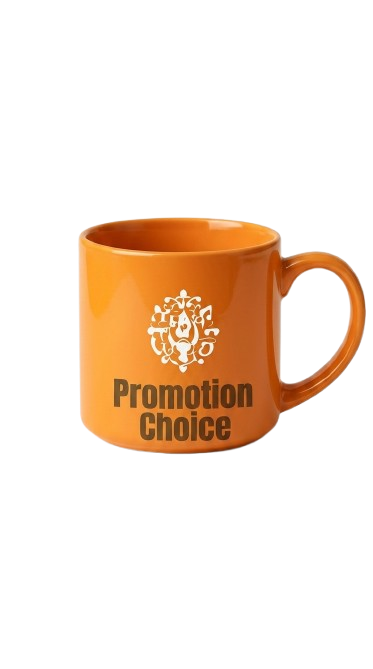
5. Drinkware Giveaways
Button campaigns work especially well when bundled with reusable drinkware.
Recommended pairing:
QR Codes on Buttons: What Actually Works
QR codes can work on buttons if:
- Button size is at least 2.25"
- Contrast is extremely high
- Code has quiet space around edges
- Destination URL is mobile-friendly
QR codes usually fail when:
- Too small
- Surrounded by graphics
- Printed on reflective artwork
- Used on 1-inch buttons
Event Operations & Distribution Tips
Place Buttons Near:
- Badge pickup
- Giveaway bowls
- Interactive demos
- Staff entrances
- Product samples
Avoid:
- Hiding buttons behind tables
- Overcrowding display bowls
- Mixing too many unrelated designs
- Tiny unreadable messaging
Mistakes to Avoid
1. Choosing Tiny Sizes for Large Crowds
Small buttons disappear visually in busy halls.
2. Overloading the Design
Trade show attendees glance quickly.
Simple wins.
3. Using Weak Color Contrast
Low-contrast branding reduces recognition distance.
4. Ignoring Wearability
Very large buttons can feel uncomfortable.
5. Ordering Too Few
Popular trade show giveaways disappear fast.
6. Using Thin Fonts
Convention lighting reduces readability.
7. Matching Booth Colors Too Closely
Buttons should visually pop against the booth environment.
8. Forgetting Social Sharing
Buttons perform best when attendees want to photograph them.
Build a Complete Trade Show Giveaway Kit
A strong trade show branding system often includes:
- Buttons
- Tote bags
- Staff apparel
- Table covers
- Flags
- Notebooks
- Lanyards
- Pens
Recommended supporting products:
FAQs
What size custom button is best for trade shows?
2.25-inch buttons are usually the best trade show size because they balance visibility, comfort, and printing space.
Are gloss or matte buttons better for conventions?
Gloss buttons usually work better for convention giveaways because they attract attention more effectively.
How many trade show buttons should I order?
Most exhibitors should order enough for 30–70% of expected booth traffic depending on giveaway strategy.
Do attendees actually wear trade show buttons?
Yes, wearable buttons often stay attached to tote bags, shirts, and lanyards throughout the event.
Are large buttons better for expos?
Large buttons improve visibility but may reduce comfort if attendees wear them all day.
Can QR codes work on custom buttons?
Yes, but they work best on buttons at least 2.25 inches wide with strong contrast.
What colors work best for trade show buttons?
High-contrast colors like black/white or red/white usually perform best for visibility.
Are matte buttons better for staff badges?
Yes, matte buttons often look cleaner and more professional for staff identification.
 October, 2026